Proton Tech Lab

GoHighLevel

Understanding Website Analytics: Metrics That Matter for Growth

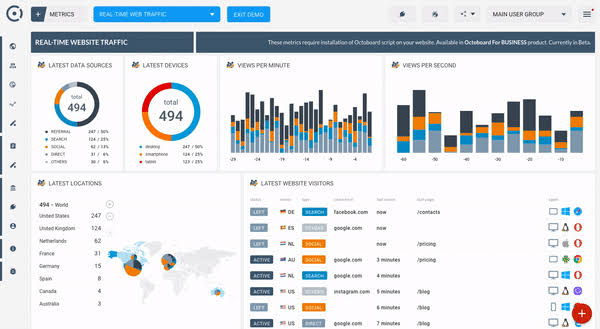
Understanding Website Analytics: Metrics That Matter for Growth Your website generates data every day. Visitors come and go, clicking, scrolling, and either converting or leaving. But if you’re not tracking and understanding this data, you’re flying blind. Website analytics transform raw numbers into actionable insights that drive smarter business decisions. At Proton Tech Lab, we help businesses understand their website data and use it to improve performance. Let’s explore the key metrics you should be tracking and how to interpret them for growth. Why Website Analytics Matter Analytics reveal what’s actually happening on your website versus what you assume is happening. They show which marketing efforts drive results, where visitors struggle, and what changes could improve performance. According to Google, businesses that use analytics effectively are twice as likely to improve their financial performance. Data-driven decisions consistently outperform gut-feeling approaches. Analytics provide the evidence you need to invest wisely in your website and marketing. Traffic Metrics: Who’s Visiting Understanding your traffic is the foundation of web analytics. Key traffic metrics tell you how many people visit and where they come from. Sessions: The total number of visits to your website. A single user can generate multiple sessions by visiting on different days or after extended inactivity. Users: The number of unique individuals who visited your site. This tells you your actual audience size rather than just visit counts. Traffic Sources: Where your visitors come from: organic search, paid ads, social media, direct visits, or referrals from other websites. Understanding sources helps you invest in what works. New vs Returning Visitors: The balance between first-time visitors and those coming back. Healthy sites typically have both, with returning visitors indicating content value and loyalty. Engagement Metrics: What They Do Traffic means nothing if visitors leave immediately. Engagement metrics reveal how visitors interact with your content. Bounce Rate: The percentage of visitors who leave after viewing only one page. High bounce rates often indicate that visitors didn’t find what they expected or that the page failed to engage them. Average Session Duration: How long visitors typically stay on your site. Longer durations generally indicate engaging content, though context matters. A quick answer to a simple question might actually be success. Pages Per Session: The average number of pages viewed during a visit. More pages typically suggest visitors are exploring and finding value in your content. Scroll Depth: How far down the page visitors scroll. This reveals whether people actually read your content or abandon it early. Conversion Metrics: Business Results Ultimately, your website exists to drive business outcomes. Conversion metrics measure whether visitors take desired actions. Conversion Rate: The percentage of visitors who complete a desired action, whether purchasing, signing up, downloading, or contacting you. This is often your most important metric. Goal Completions: The total number of conversions. Set up goals for all important actions: form submissions, purchases, newsletter signups, and other key outcomes. Conversion Paths: The journey visitors take before converting. Understanding these paths helps you optimize the routes that lead to conversions. Page Performance Metrics Individual page analysis reveals which content performs best and which needs improvement. Top Pages: Which pages receive the most traffic. These are your workhorses; ensure they’re optimized and lead visitors toward conversion. Exit Pages: The last pages visitors see before leaving. High exit rates on certain pages may indicate problems that need addressing. Landing Pages: Where visitors enter your site. These pages make first impressions, so their performance is critical. Technical Performance Metrics Technical issues directly impact user experience and conversions. Monitor these metrics to ensure your site performs well. Page Load Time: How quickly pages load. Slow pages frustrate visitors and hurt search rankings. Aim for load times under three seconds. Mobile vs Desktop: How performance differs across device types. With mobile traffic dominating, poor mobile experience severely limits success. Browser and Device Data: Which browsers and devices visitors use. Ensure your site works well on the most common configurations. Setting Up Proper Tracking Good analytics require proper setup. Install Google Analytics or your preferred analytics platform correctly. Set up goals that match your business objectives. Implement event tracking for important interactions like button clicks, video plays, and file downloads. Filter out internal traffic and spam to keep data clean. From Data to Action Analytics are worthless without action. Review your data regularly, not just when problems arise. Look for trends, anomalies, and opportunities. Form hypotheses about what might improve performance, test changes, and measure results. This continuous improvement cycle drives real growth. Start Making Data-Driven Decisions Website analytics transform guesswork into strategy. By understanding what’s happening on your site, you can make smarter investments, fix problems faster, and grow more effectively. Need help understanding your website analytics? At Proton Tech Lab, we set up analytics properly and help businesses interpret their data for growth. Contact us today for help with your analytics setup and strategy. We’ll turn your website data into actionable insights that drive results. Let’s grow together!

GoHighLevel

What Are Progressive Web Apps and Does Your Business Need One

What Are Progressive Web Apps and Does Your Business Need One You’ve probably heard that businesses need mobile apps to stay competitive. But building native apps for iOS and Android is expensive and time-consuming. What if you could offer an app-like experience without the complexity and cost of traditional app development? That’s exactly what Progressive Web Apps deliver. At Proton Tech Lab, we build Progressive Web Apps that give businesses the best of both worlds. Let’s explore what PWAs are, how they work, and whether your business could benefit from one. Understanding Progressive Web Apps Progressive Web Apps are websites that use modern web technologies to deliver app-like experiences. They look and feel like native mobile apps but run in web browsers and don’t require downloading from app stores. According to Google Developers, PWAs are reliable, fast, and engaging. They load instantly regardless of network conditions, respond quickly to user interactions, and feel like natural apps on any device. Major companies like Twitter, Starbucks, and Pinterest have embraced PWAs with impressive results. Key Features of PWAs Several characteristics define Progressive Web Apps and set them apart from traditional websites. Installable: Users can add PWAs to their home screens without visiting an app store. The app icon appears alongside native apps, launching in its own window without browser navigation. Offline Capable: PWAs work offline or on poor networks using service workers that cache content. Users can access previously loaded content even without internet connectivity. Push Notifications: Like native apps, PWAs can send push notifications to re-engage users even when the browser isn’t open. Fast Performance: PWAs use caching strategies that make subsequent visits lightning fast, creating smooth, responsive experiences. Secure: PWAs require HTTPS, ensuring all data transfers are encrypted and secure. PWAs vs Native Apps vs Traditional Websites Understanding where PWAs fit helps clarify when they’re the right choice. Traditional Websites: Accessible via browsers, easy to update, but limited offline functionality and less app-like feel. Native Apps: Full device feature access, best performance, but expensive to develop separately for iOS and Android, require app store approval, and users must download them. Progressive Web Apps: Combine web accessibility with app-like features. Single codebase works everywhere, no app store needed, easier updates, but some device feature limitations compared to native apps. Benefits for Your Business PWAs offer compelling advantages for businesses considering their mobile strategy. Lower Development Costs: Build once, deploy everywhere. You don’t need separate iOS and Android development teams or codebases. No App Store Friction: Users access your PWA instantly without downloading anything. No app store approval processes, no competing with millions of other apps for visibility. Easier Updates: Update your PWA like any website. Users always get the latest version without manual updates. Improved Engagement: Push notifications and home screen presence keep users coming back. Businesses report significant increases in engagement after implementing PWAs. Better Conversion Rates: Faster load times and smoother experiences reduce abandonment and improve conversions. Real-World PWA Success Stories Major brands have seen remarkable results from PWAs. Pinterest’s PWA increased engagement by 60% and ad revenue by 44%. Starbucks’ PWA is 99.84% smaller than their native iOS app while providing similar functionality. Twitter Lite as a PWA reduced data consumption by 70% and increased pages per session by 65%. These results demonstrate that PWAs aren’t just theoretical improvements; they deliver measurable business impact. When PWAs Make Sense PWAs are particularly well-suited for certain business scenarios. They work great for ecommerce stores wanting app-like shopping experiences, content sites and news platforms, businesses serving users in areas with poor connectivity, companies seeking mobile presence without native app budgets, and any business wanting to improve mobile engagement. When Native Apps Might Be Better PWAs aren’t always the answer. Consider native apps if you need advanced device features like Bluetooth, NFC, or health sensors, if your app requires complex graphics processing like games, if your audience primarily uses iOS where PWA support has some limitations, or if app store presence and discoverability are critical to your strategy. Getting Started with PWAs Building a PWA requires technical expertise in modern web technologies including service workers, web app manifests, and responsive design. The good news is that existing websites can often be upgraded to PWAs incrementally rather than requiring complete rebuilds. Start by ensuring your site is secure, fast, and mobile-friendly. Then add PWA features progressively: a web manifest for installability, service workers for offline capability, and push notification support for engagement. Is a PWA Right for Your Business? Progressive Web Apps offer an attractive middle ground between traditional websites and native apps. They deliver app-like experiences at lower cost and complexity while reaching users across all devices and platforms. Curious whether a PWA could benefit your business? At Proton Tech Lab, we help businesses evaluate their mobile strategy and build Progressive Web Apps that drive results. Contact us today to discuss your needs. We’ll help you determine if a PWA is right for you and create a solution that delivers the mobile experience your customers expect!

Web Design

Making Your Website Accessible to All Users in 2025

Making Your Website Accessible to All Users in 2025 Over one billion people worldwide live with some form of disability. When your website isn’t accessible, you’re not just excluding a significant portion of potential customers; you may also be exposing your business to legal risk. Web accessibility isn’t just the right thing to do; it’s smart business. At Proton Tech Lab, we build websites that work for everyone. Let’s explore what web accessibility means, why it matters, and how to make your website inclusive for all users. What Is Web Accessibility? Web accessibility means designing and developing websites so that people with disabilities can use them effectively. This includes people with visual, auditory, physical, speech, cognitive, and neurological disabilities. Accessible websites work with assistive technologies like screen readers, voice recognition software, and alternative input devices. According to the World Wide Web Consortium (W3C), web accessibility also benefits people without disabilities, including those using mobile phones, smart watches, or slow internet connections, older individuals with changing abilities, and people with temporary disabilities like a broken arm. The Business Case for Accessibility Beyond ethical considerations, accessibility makes business sense. The disability community represents significant purchasing power. In the United States alone, adults with disabilities control over $500 billion in disposable income. Globally, this figure reaches into the trillions. Accessible websites also tend to perform better overall. Many accessibility improvements enhance user experience for everyone, improve search engine optimization, and reduce maintenance costs. Plus, accessibility lawsuits are increasing, making compliance an important risk management consideration. Understanding WCAG Guidelines The Web Content Accessibility Guidelines (WCAG) provide the internationally recognized standards for web accessibility. These guidelines are organized around four principles, often remembered by the acronym POUR: Perceivable, Operable, Understandable, and Robust. Perceivable: Users must be able to perceive the information being presented. This means providing text alternatives for non-text content, captions for videos, and content that can be presented in different ways. Operable: Users must be able to operate the interface. Navigation must work via keyboard, users need enough time to read content, and nothing should cause seizures or physical reactions. Understandable: Information and operation must be understandable. Text should be readable, pages should work predictably, and users should receive help avoiding and correcting mistakes. Robust: Content must work with current and future technologies, including assistive technologies. Provide Text Alternatives for Images Every image on your website should have alternative text that describes its content or function. Screen readers read this alt text to visually impaired users, helping them understand what the image conveys. Write alt text that communicates the image’s purpose, not just its appearance. For decorative images that don’t add information, use empty alt attributes so screen readers skip them. For complex images like charts, provide detailed descriptions nearby. Ensure Keyboard Navigation Many users navigate websites using only a keyboard, without a mouse. All functionality must be accessible via keyboard, including navigation menus, forms, buttons, and interactive elements. Test your website by unplugging your mouse and navigating with Tab, Enter, and arrow keys. Can you reach every element? Can you tell where you are on the page? If keyboard navigation fails anywhere, those areas need attention. Use Sufficient Color Contrast Text must have sufficient contrast against its background to be readable by people with low vision or color blindness. WCAG requires a contrast ratio of at least 4.5:1 for normal text and 3:1 for large text. Use contrast checking tools to verify your color combinations meet standards. Avoid conveying information through color alone; add text labels or patterns so colorblind users don’t miss important distinctions. Structure Content Properly Proper heading structure helps screen reader users navigate and understand your content. Use heading levels hierarchically: H1 for the main title, H2 for major sections, H3 for subsections, and so on. Don’t skip levels or use headings just for visual styling. Use semantic HTML elements like nav, main, article, and footer to define page regions. These landmarks help assistive technology users jump directly to different sections of the page. Make Forms Accessible Forms present particular accessibility challenges. Every form field needs a visible, properly associated label. Error messages should clearly explain what went wrong and how to fix it. Required fields should be marked clearly. Ensure forms work with autocomplete to help users fill in common information. Group related fields logically. Provide clear instructions before users encounter form elements. Make submit buttons descriptive rather than generic. Add Captions and Transcripts Video content needs captions for deaf and hard-of-hearing users. Audio content needs transcripts. These alternatives also benefit users in sound-sensitive environments and those who prefer reading to listening. Captions should be accurate, synchronized, and include relevant non-speech audio like music or sound effects. Auto-generated captions are a starting point but typically require editing for accuracy. Test with Real Users and Tools Automated testing tools can identify many accessibility issues, but they can’t catch everything. Combine automated testing with manual testing and, ideally, testing by people with disabilities who use assistive technologies daily. Try using your website with a screen reader. Navigate with keyboard only. Use browser extensions that simulate color blindness. These experiences reveal issues that technical audits might miss. Make Your Website Welcome Everyone Accessibility is an ongoing commitment, not a one-time project. As you add new content and features, maintain accessibility standards. The result is a website that works better for everyone and demonstrates your commitment to inclusive design. Ready to make your website accessible to all users? At Proton Tech Lab, we build accessible websites that meet WCAG standards and serve your entire audience. Contact us today for an accessibility audit of your current site. We’ll identify issues and help you create a website that welcomes everyone. Let’s make the web accessible together!

AI Automation

How Chatbots Can Improve Customer Service on Your Website

How Chatbots Can Improve Customer Service on Your Website Today’s customers expect instant answers. They don’t want to wait on hold, send emails into the void, or navigate complicated phone trees. When they have questions, they want solutions immediately. This is where chatbots transform the customer service experience. At Proton Tech Lab, we integrate intelligent chatbot solutions that help businesses serve customers better while capturing more leads. Let’s explore how chatbots can revolutionize customer service on your website. What Are Website Chatbots? Chatbots are automated messaging systems that interact with website visitors in real time. They can answer questions, provide information, guide users through processes, and even complete transactions. Modern chatbots powered by artificial intelligence can understand natural language and provide remarkably human-like interactions. According to Gartner, chatbots will become the primary customer service channel for roughly a quarter of organizations by 2027. Businesses that adopt chatbot technology now position themselves ahead of competitors still relying solely on traditional support methods. 24/7 Availability Without the Overhead One of the most significant advantages of chatbots is their ability to provide round-the-clock service. Unlike human agents, chatbots never sleep, take breaks, or call in sick. They’re ready to help visitors at three in the morning just as effectively as three in the afternoon. This constant availability is particularly valuable for businesses serving customers across different time zones or those whose customers often research and shop outside business hours. You never miss an opportunity to engage a potential customer, regardless of when they visit. Instant Response Times Speed matters in customer service. Research shows that response time directly impacts customer satisfaction and conversion rates. Chatbots respond instantly, eliminating the frustration of waiting that drives customers away. Even when chatbots can’t fully resolve an issue, they acknowledge the customer immediately and set expectations. This instant engagement keeps visitors on your site longer and reduces the likelihood they’ll leave to find answers elsewhere. Handling Common Questions Automatically Most customer service inquiries involve the same questions asked repeatedly. What are your hours? How much does shipping cost? What’s your return policy? Chatbots handle these routine questions effortlessly, freeing your human team to focus on complex issues that require personal attention. By automating responses to frequently asked questions, businesses can significantly reduce support costs while actually improving the customer experience. Customers get faster answers, and support staff can dedicate their expertise where it matters most. Lead Capture and Qualification Chatbots aren’t just for answering questions; they’re powerful lead generation tools. A well-designed chatbot engages visitors, collects contact information, and qualifies leads before passing them to your sales team. Instead of hoping visitors fill out a static contact form, chatbots proactively start conversations. They can ask qualifying questions to understand visitor needs, gather relevant information, and even schedule appointments or demos. This interactive approach typically generates more leads than passive forms. Guiding Users Through Your Website Chatbots serve as virtual guides, helping visitors find what they’re looking for quickly. Rather than navigating through multiple pages, visitors can simply tell the chatbot what they need and receive direct links or information. This guidance is particularly valuable for websites with extensive content or product catalogs. Chatbots can recommend products based on visitor preferences, direct users to relevant resources, and simplify the path to conversion. Seamless Handoff to Human Agents The best chatbot implementations know their limits. When conversations require human intervention, whether due to complexity, sensitivity, or customer preference, chatbots smoothly transfer the conversation to live agents. During handoff, the chatbot provides the human agent with conversation history and any information gathered, so customers don’t have to repeat themselves. This seamless transition combines the efficiency of automation with the empathy and problem-solving abilities of human support. Collecting Valuable Customer Insights Every chatbot conversation generates data. What questions do customers ask most frequently? Where do they get stuck? What products generate the most interest? This information helps you understand your customers better and improve both your website and your offerings. Analytics from chatbot interactions reveal pain points in the customer journey, content gaps on your website, and opportunities for improvement. This continuous feedback loop makes chatbots valuable beyond their direct service capabilities. Choosing the Right Chatbot Solution Not all chatbots are created equal. Options range from simple rule-based bots that follow predetermined scripts to sophisticated AI-powered solutions that learn and improve over time. The right choice depends on your business needs, budget, and technical capabilities. Consider what problems you’re trying to solve, how complex your customer inquiries typically are, and how much customization you need. Start with clear goals and choose a solution that aligns with your specific requirements. Best Practices for Chatbot Implementation Successful chatbot implementation requires thoughtful planning. Give your chatbot a personality that matches your brand. Be transparent that users are talking to a bot. Design conversation flows that feel natural. Start simple and expand capabilities based on real user interactions. Always provide an easy path to human support when needed. Transform Your Customer Service Today Chatbots represent a significant opportunity to improve customer service while reducing costs and capturing more leads. As the technology continues advancing, businesses that embrace chatbots now will be well-positioned to serve customers better than their competitors. Ready to add chatbot capabilities to your website? At Proton Tech Lab, we design and implement custom chatbot solutions tailored to your business needs. Contact us today to explore how chatbots can enhance your customer service and drive more conversions. Let’s build a smarter way to serve your customers!

GoHighLevel

Website Security Essentials: Protecting Your Business Online

Website Security Essentials: Protecting Your Business Online Every day, thousands of websites fall victim to cyber attacks. Small businesses often assume hackers only target large corporations, but the reality is quite different. Cybercriminals frequently target smaller websites precisely because they tend to have weaker security measures in place. At Proton Tech Lab, we build websites with security as a top priority. Let’s explore the essential security measures every business website needs to protect against threats and keep customer data safe. Why Website Security Matters More Than Ever The consequences of a security breach extend far beyond temporary inconvenience. According to IBM Security, the average cost of a data breach for small businesses exceeds $100,000. Beyond financial losses, breaches damage customer trust, hurt search rankings, and can result in legal liability. Google actively warns users about insecure websites and penalizes them in search results. A single security incident can undo years of reputation building. Prevention is always more cost-effective than recovery. Install and Maintain an SSL Certificate An SSL certificate encrypts data transmitted between your website and visitors. This is the technology that puts the padlock icon in browser address bars and changes your URL from HTTP to HTTPS. SSL is no longer optional. Browsers display security warnings on sites without SSL, driving visitors away. Search engines rank secure sites higher. Most importantly, SSL protects sensitive information like login credentials, payment details, and personal data from interception. Keep All Software Updated Outdated software is one of the most common entry points for hackers. This includes your content management system, plugins, themes, and server software. When security vulnerabilities are discovered, developers release patches, but these only protect you if you install them. Enable automatic updates when possible. For updates that require manual intervention, establish a regular schedule to check and apply them. Remove any plugins or themes you’re not actively using, as abandoned software often contains unpatched vulnerabilities. Use Strong Password Policies Weak passwords remain a leading cause of security breaches. Ensure everyone with access to your website uses strong, unique passwords. A strong password contains at least twelve characters with a mix of uppercase letters, lowercase letters, numbers, and special characters. Consider implementing a password manager for your team. Require password changes periodically, and never reuse passwords across different accounts. If your CMS allows it, limit login attempts to prevent brute force attacks. Enable Two-Factor Authentication Two-factor authentication adds an extra layer of security beyond passwords. Even if someone obtains a password, they cannot access the account without the second factor, typically a code sent to a phone or generated by an authenticator app. Enable two-factor authentication for all administrative accounts on your website. Many content management systems and hosting providers offer this feature. The minor inconvenience of an extra login step is worth the significant security improvement. Implement Regular Backups Regular backups are your safety net when things go wrong. If your site is hacked, corrupted, or accidentally damaged, backups allow you to restore it quickly. Without backups, you might lose everything. Back up your website at least weekly, or daily if you frequently update content. Store backups in multiple locations, including off-site storage. Test your backups periodically to ensure they actually work when needed. Use a Web Application Firewall A web application firewall monitors and filters traffic to your website, blocking malicious requests before they reach your server. It protects against common attacks like SQL injection, cross-site scripting, and distributed denial of service attacks. Services like Cloudflare and Sucuri offer web application firewalls that are relatively easy to implement. Many also provide additional benefits like performance optimization and DDoS protection. Secure Your Hosting Environment Your hosting provider plays a crucial role in website security. Choose a reputable host that prioritizes security, offers SSL certificates, maintains updated server software, and provides security monitoring. Avoid shared hosting for business-critical websites when possible. Shared servers mean your site’s security can be compromised by vulnerabilities in other sites on the same server. Managed hosting or virtual private servers offer better isolation and security. Monitor for Suspicious Activity Don’t wait for obvious signs of a breach to take action. Implement monitoring tools that alert you to suspicious activity like failed login attempts, file changes, or unusual traffic patterns. Many security plugins and services offer real-time monitoring and alerts. Regular security scans can identify vulnerabilities before attackers exploit them. The sooner you detect a problem, the faster you can respond. Train Your Team Human error causes many security breaches. Phishing emails, weak passwords, and careless handling of credentials create vulnerabilities that technology alone cannot prevent. Train everyone with website access on security best practices. Teach them to recognize phishing attempts, use strong passwords, and follow security protocols. A security-aware team is one of your best defenses. Protect Your Business Today Website security isn’t a one-time setup; it’s an ongoing commitment. The threat landscape constantly evolves, and your security measures must evolve with it. By implementing these essentials, you significantly reduce your risk and protect your business and customers. Is your website secure? At Proton Tech Lab, we build secure websites and help businesses strengthen their existing security. Contact us today for a free security assessment. We’ll identify vulnerabilities and show you how to protect your business online. Don’t wait for a breach to take security seriously. Let’s secure your website now!

Web Design

Signs Your Business Website Needs a Redesign Right Now

Signs Your Business Website Needs a Redesign Right Now Your website is often the first impression potential customers have of your business. But when was the last time you took a hard look at it? Websites that looked modern and professional just a few years ago can quickly become outdated, driving visitors away instead of converting them into customers. At Proton Tech Lab, we help businesses recognize when it’s time for a website refresh and guide them through successful redesigns. Let’s examine the key signs that indicate your website needs a redesign right now. Your Website Isn’t Mobile-Friendly If your website doesn’t work perfectly on smartphones and tablets, you’re losing more than half your potential audience. According to Statista, mobile devices account for over 58% of global web traffic. Google also uses mobile-first indexing, meaning your mobile site determines your search rankings. Test your site on various devices. If you have to pinch and zoom to read text, if buttons are too small to tap, or if the layout looks broken on mobile, a redesign is urgently needed. Your Site Looks Outdated Design trends evolve constantly. What looked cutting-edge in 2018 can look dated today. Signs of an outdated design include cluttered layouts, small text, Flash elements, stock photos that look obviously staged, outdated color schemes, and design elements that were trendy years ago like excessive gradients or drop shadows. An outdated website signals to visitors that your business might be behind the times in other ways too. If competitors have modern, polished sites while yours looks old, you’re at a significant disadvantage. Your Bounce Rate Is High Bounce rate measures the percentage of visitors who leave your site after viewing only one page. A high bounce rate often indicates that visitors aren’t finding what they expected or are turned off by what they see. Check your Google Analytics. If your bounce rate is above 70%, something is likely wrong with your site. Common causes include slow loading speeds, confusing navigation, poor design, or content that doesn’t match what visitors are looking for. A redesign can address these issues and keep visitors engaged. Your Website Loads Slowly Speed matters more than ever. Research shows that 40% of visitors abandon websites that take more than three seconds to load. Slow sites also rank lower in search results, compounding the problem. Test your site speed with Google PageSpeed Insights. If your scores are poor, a redesign with modern, optimized code, compressed images, and better hosting can dramatically improve performance. Your Conversion Rates Are Declining If fewer visitors are converting into leads or customers over time, your website may be the problem. As user expectations evolve and competitors improve their sites, a website that once converted well can become less effective. A redesign focused on conversion optimization can include clearer calls to action, simplified forms, better user flows, and design elements proven to encourage action. Sometimes small changes make big differences; other times a complete overhaul is needed. Your Content Is Difficult to Update If making simple updates to your website requires calling a developer, your site is holding you back. Modern websites use content management systems that allow non-technical users to easily update text, images, and add new pages. A redesign on a modern CMS platform gives you control over your content. You can respond quickly to business changes, keep information current, and add new content without waiting for developer availability or paying for simple updates. Your Business Has Changed Businesses evolve. You add new products or services, target new markets, or shift your positioning. If your website doesn’t reflect who you are today, it’s creating a disconnect with potential customers. Your website should accurately represent your current business, not the business you were three years ago. If your offerings, branding, or target audience have changed significantly, your website needs to change too. Your Site Lacks Security Features If your website doesn’t have an SSL certificate showing the secure padlock icon, browsers may warn visitors that your site is not secure. This destroys trust instantly and can prevent visitors from engaging with your site at all. Beyond SSL, older websites may have security vulnerabilities that put both you and your visitors at risk. A redesign ensures your site uses current security best practices and protects sensitive information. Your Competitors Have Better Websites Take an honest look at your competitors’ websites. If they’ve modernized while you haven’t, visitors comparing options will notice. In competitive markets, a professional, user-friendly website can be the deciding factor in winning business. You don’t need to copy competitors, but you should meet or exceed the baseline expectations they’ve established in your industry. The Benefits of a Website Redesign A well-executed redesign can transform your online presence. Benefits include improved user experience, higher search rankings, increased conversions, better brand perception, easier content management, and stronger security. The investment in a redesign often pays for itself through improved business results. Time for a Fresh Start? If you recognized your website in several of these warning signs, it’s time to seriously consider a redesign. The longer you wait, the more business you lose to competitors with better online experiences. Is your website holding your business back? At Proton Tech Lab, we specialize in redesigning outdated websites into modern, high-performing digital experiences. Contact us today for a free website assessment. We’ll evaluate your current site, identify improvement opportunities, and show you how a redesign can help you attract more customers and grow your business. Don’t let an outdated website cost you another customer!

Legal Marketing

SEO Basics Every Business Owner Should Know in 2025

SEO Basics Every Business Owner Should Know in 2025 When potential customers search for products or services like yours, does your website appear on the first page of Google? If not, you’re invisible to the vast majority of searchers. Studies show that 75% of users never scroll past the first page of search results. Search engine optimization, or SEO, is how you earn your place on that crucial first page. At Proton Tech Lab, we build websites optimized for search engines from the ground up. Let’s break down the SEO basics every business owner needs to understand to improve their online visibility. What Is SEO and Why Does It Matter? SEO is the practice of optimizing your website to rank higher in search engine results for relevant queries. When someone searches for “best coffee shop in Denver” or “plumber near me,” search engines like Google use complex algorithms to determine which websites best answer that query. According to BrightEdge, organic search drives 53% of all website traffic. Unlike paid advertising where you pay for each click, organic traffic from good SEO is essentially free once you’ve earned it. This makes SEO one of the highest-ROI marketing investments available. Keywords: The Foundation of SEO Keywords are the words and phrases people type into search engines. Understanding which keywords your potential customers use is the first step in effective SEO. Start by brainstorming terms related to your business. What would someone search for to find your products or services? Use tools like Google Keyword Planner, Ubersuggest, or SEMrush to research search volume and competition for these terms. Focus on keywords that are relevant to your business, have decent search volume, and aren’t so competitive that you can’t realistically rank for them. Long-tail keywords, longer and more specific phrases, often convert better than broad terms. Someone searching “affordable wedding photographer in Austin Texas” is closer to buying than someone searching just “photographer.” On-Page SEO Essentials On-page SEO refers to optimizations you make directly on your website pages. These signals help search engines understand what your content is about and whether it’s relevant to specific searches. Title Tags: Every page needs a unique title tag that includes your target keyword. This appears as the clickable headline in search results. Keep titles under 60 characters and make them compelling enough to earn clicks. Meta Descriptions: These short summaries appear below your title in search results. While they don’t directly affect rankings, good meta descriptions improve click-through rates. Include your keyword and a clear reason to visit your page. Header Tags: Use H1 tags for page titles and H2-H6 tags for subheadings. These help search engines understand your content structure. Include keywords naturally in your headers. Quality Content: Create helpful, comprehensive content that thoroughly addresses what searchers are looking for. Thin, low-quality content won’t rank well. Aim to be the best answer for your target keywords. Technical SEO Basics Technical SEO ensures search engines can crawl, understand, and index your website properly. Even great content won’t rank if technical issues prevent search engines from accessing it. Site Speed: Fast-loading websites rank better and provide better user experiences. Optimize images, enable caching, and use quality hosting. Mobile-Friendliness: Google uses mobile-first indexing, meaning it primarily looks at your mobile site for rankings. Your site must work perfectly on mobile devices. SSL Certificate: Secure websites (HTTPS) rank better than non-secure sites. An SSL certificate is essential for both SEO and user trust. XML Sitemap: A sitemap helps search engines discover and index all your pages. Submit your sitemap through Google Search Console. Local SEO for Local Businesses If you serve customers in a specific geographic area, local SEO is crucial. Local searches often have high purchase intent; someone searching “dentist near me” is likely looking to book an appointment soon. Claim and optimize your Google Business Profile. Ensure your name, address, and phone number are consistent across all online directories. Encourage satisfied customers to leave Google reviews. Create content relevant to your local area. Building Authority Through Backlinks Backlinks are links from other websites to yours. Search engines view these as votes of confidence. Websites with more high-quality backlinks typically rank higher than those without. Quality matters more than quantity. A single link from a respected industry publication is worth more than dozens of links from low-quality sites. Build backlinks naturally by creating content worth linking to, guest posting on relevant blogs, and building relationships in your industry. Measuring Your SEO Success SEO is a long-term strategy, and measuring progress is essential. Use Google Analytics to track organic traffic and Google Search Console to monitor your search performance, including which queries bring visitors, your average position, and click-through rates. Track rankings for your target keywords over time, but remember that rankings can fluctuate. Focus on overall trends in organic traffic and conversions rather than daily ranking changes. SEO Takes Time But Delivers Results Unlike paid advertising that stops working when you stop paying, SEO builds lasting value. It typically takes three to six months to see significant results from SEO efforts, but those results compound over time as your authority grows. Ready to improve your search engine rankings? At Proton Tech Lab, we build SEO-optimized websites and help businesses develop effective SEO strategies. Contact us today for a free SEO audit of your website. We’ll identify opportunities for improvement and show you how to climb the search rankings. Don’t stay invisible. Let’s get your business found!

Digital Marketing

How Video Animation Can Boost Your Marketing Efforts

How Video Animation Can Boost Your Marketing Efforts In a world where attention spans are shrinking and competition for eyeballs is fierce, animated videos have emerged as one of the most effective marketing tools available. They capture attention, simplify complex ideas, and create emotional connections that static content simply cannot match. At Proton Tech Lab, we create custom animated videos that help businesses communicate their message effectively and engage their audiences. Let’s explore why video animation should be part of your marketing strategy and how it can drive real results for your business. Why Video Content Dominates Marketing Video has become the preferred content format for consumers. According to Wyzowl, 91% of businesses use video as a marketing tool, and 96% of marketers consider video an important part of their strategy. The numbers make sense: people retain 95% of a message when they watch it in a video compared to just 10% when reading text. Video content generates more engagement, more shares, and more conversions than almost any other content type. And within the video category, animation offers unique advantages that live-action video cannot always provide. The Unique Power of Animation Animated videos offer capabilities that live-action simply cannot match. Animation can visualize abstract concepts, simplify complex processes, and create any world or scenario you can imagine, all without the logistical challenges and costs of traditional video production. Explain the Unexplainable: How do you show how software works, how data flows through systems, or how invisible processes happen? Animation makes the invisible visible and the complex simple. No Limitations: Animation isn’t constrained by physics, budgets, or reality. You can create any character, any setting, any scenario. A product can transform, a mascot can fly, and abstract concepts can come to life. Timeless Content: Unlike live-action videos featuring real people, locations, or products that may change, animated videos remain current longer. You can easily update elements without reshooting entirely. Types of Animated Marketing Videos Different animation styles serve different purposes. Understanding your options helps you choose the right approach for your goals. Explainer Videos: Short videos that explain your product, service, or concept in a simple, engaging way. Perfect for homepages and landing pages where you need to communicate value quickly. Whiteboard Animation: Videos that simulate hand-drawing on a whiteboard. These work well for educational content and step-by-step explanations. Motion Graphics: Animated graphic design elements, text, and shapes. Ideal for data visualization, corporate presentations, and brand videos. Character Animation: Videos featuring animated characters that can become brand mascots and create emotional connections with viewers. Product Demos: Animated demonstrations showing how products work, their features, and their benefits in action. Where to Use Animated Videos Animated videos can enhance virtually every stage of your marketing funnel and every customer touchpoint. Website Homepage: An explainer video on your homepage can quickly communicate your value proposition and reduce bounce rates. Visitors who watch videos stay on sites longer and convert at higher rates. Social Media: Animated videos perform exceptionally well on social platforms. They stop scrollers, drive engagement, and are highly shareable. Short, punchy animations are perfect for Instagram, TikTok, and Facebook. Email Campaigns: Including video in emails can increase click-through rates by up to 300%. Even animated GIFs can add movement and interest to otherwise static emails. Paid Advertising: Animated ads stand out in crowded feeds and typically achieve higher engagement rates than static images. Animation Improves Understanding and Retention The combination of visual and auditory information in animated videos creates powerful learning experiences. When viewers both see and hear information, comprehension and retention increase dramatically. This is particularly valuable for businesses with complex offerings. Software companies, technical services, financial products, and healthcare solutions can all benefit from animation’s ability to break down complicated concepts into digestible, memorable content. Animation Builds Brand Personality Animated videos allow you to express your brand personality in ways that other content cannot. The style, colors, characters, and tone of your animations become part of your brand identity. A playful, colorful animation communicates a very different brand personality than sleek, minimalist motion graphics. You can create characters that become brand ambassadors, develop a distinctive visual style, and craft a consistent experience across all your video content. The ROI of Animated Video While animated videos require upfront investment, the return can be substantial. Videos continue working for you long after creation, generating views, engagement, and conversions over months or years. According to research, landing pages with video can increase conversions by up to 80%. Product videos help 73% of consumers make purchasing decisions. These numbers translate directly to revenue and make video one of the highest-ROI marketing investments available. Getting Started with Animated Video Creating effective animated videos requires a combination of storytelling, design, and technical skills. The process typically involves scripting, storyboarding, design, animation, and sound design. At Proton Tech Lab, our animation team handles every step, from concept development to final delivery. We work closely with clients to understand their goals, audience, and brand before creating videos that achieve real marketing results. Bring Your Marketing to Life with Animation Animated videos capture attention, communicate complex ideas simply, and create memorable experiences that drive action. In today’s visual-first marketing landscape, animation is no longer a nice-to-have; it’s a competitive necessity. Ready to add animated video to your marketing mix? At Proton Tech Lab, we create custom animated videos that engage audiences and drive results. Contact us today to discuss your video project. Whether you need an explainer video, product demo, or social media content, our team will bring your vision to life with compelling animation. Let’s make your message unforgettable!

Web Design

Simple UX Design Tips to Improve Your Website Conversions

Simple UX Design Tips to Improve Your Website Conversions Your website might look beautiful, but if visitors struggle to use it, they won’t stick around long enough to become customers. User experience, commonly called UX, is the difference between a website that frustrates visitors and one that guides them effortlessly toward taking action. At Proton Tech Lab, we design websites with user experience at the core. Great UX isn’t just about making things pretty; it’s about making things work. Let’s explore simple UX improvements that can significantly boost your website’s conversion rate. What Is UX Design and Why Does It Matter? User experience design focuses on how people interact with your website and how that interaction makes them feel. Good UX makes tasks easy and intuitive. Bad UX creates confusion, frustration, and ultimately abandonment. According to Forrester Research, every dollar invested in UX returns $100 in value. Better UX leads to higher conversion rates, increased customer satisfaction, lower support costs, and stronger brand loyalty. It’s one of the highest-return investments you can make in your website. Simplify Your Navigation Navigation is the roadmap of your website. If visitors can’t quickly find what they’re looking for, they’ll leave. Keep your navigation simple, logical, and consistent across all pages. Limit your main menu to seven items or fewer. Use clear, descriptive labels that tell visitors exactly what they’ll find. Avoid clever or creative names that might confuse people. Include a search function for visitors who know what they want. Make sure your navigation works flawlessly on mobile devices with thumb-friendly menus. Use Clear Visual Hierarchy Visual hierarchy guides visitors’ eyes through your page in the order you intend. It tells people what’s most important and where to focus their attention. Without clear hierarchy, visitors feel overwhelmed and don’t know where to look. Create hierarchy through size, color, contrast, and spacing. Make important elements like headlines and calls to action larger and more prominent. Use whitespace to separate sections and give elements room to breathe. Ensure your most important content appears above the fold where visitors see it without scrolling. Make Buttons and Links Obvious Visitors should never have to guess what’s clickable. Buttons should look like buttons, and links should be clearly distinguishable from regular text. When interactive elements don’t stand out, visitors miss important actions. Use contrasting colors for buttons that need to draw attention. Make buttons large enough to click easily, especially on mobile. Underline links or use a distinct color that’s consistent throughout your site. Add hover effects that provide feedback when visitors interact with clickable elements. Reduce Friction in Forms Forms are often where conversions happen, but they’re also where many visitors abandon ship. Every field you add creates friction that can cost you leads and sales. Ask Only What You Need: Eliminate unnecessary fields. Do you really need a phone number if you’re going to email them? Every field you remove increases completion rates. Use Smart Defaults: Pre-fill information when possible. Auto-detect location for shipping forms. Remember returning users’ information. Show Progress: For multi-step forms, show a progress indicator so visitors know how much more they need to complete. Provide Clear Error Messages: When something goes wrong, tell visitors exactly what the problem is and how to fix it. Vague error messages frustrate users. Ensure Fast Loading Times Speed is a fundamental UX factor. Slow websites create frustration before visitors even engage with your content. According to Google, 53% of mobile visitors abandon sites that take longer than three seconds to load. Optimize images, minimize code, use browser caching, and choose quality hosting. Test your site speed regularly and address any issues that slow things down. Fast loading isn’t just good UX; it’s also good for your search engine rankings. Design for Mobile First More people browse the web on mobile devices than desktops. If your website doesn’t provide an excellent mobile experience, you’re alienating the majority of your potential customers. Design for mobile screens first, then scale up for larger displays. Ensure text is readable without zooming. Make tap targets large enough for fingers. Simplify navigation for smaller screens. Test everything on actual mobile devices, not just desktop browser simulations. Use Consistent Design Patterns Consistency helps visitors learn how your site works and reduces cognitive load. When similar elements behave the same way throughout your site, visitors can predict what will happen and navigate confidently. Use the same styles for buttons, links, headings, and other elements across all pages. Keep navigation in the same location. Maintain consistent spacing and layout patterns. When visitors have to relearn how things work on each page, they get frustrated and leave. Provide Helpful Feedback Users need to know that their actions have been received and processed. When someone submits a form, makes a purchase, or completes any action, confirm it clearly. Show loading indicators when content is being fetched. Display success messages after form submissions. Provide order confirmations after purchases. Give visual feedback when buttons are clicked. This feedback reassures visitors that everything is working correctly. Test with Real Users The best way to identify UX problems is to watch real people use your website. User testing reveals issues you might never notice on your own because you’re too familiar with your site. Conduct usability tests where you observe people completing tasks on your site. Note where they struggle, get confused, or give up. Use this feedback to make targeted improvements. Even testing with just five users can uncover the majority of usability issues. Transform Your Website Experience Good UX design makes your website a pleasure to use, guiding visitors naturally toward conversion. By implementing these simple improvements, you can reduce friction, increase engagement, and turn more visitors into customers. Ready to improve your website’s user experience? At Proton Tech Lab, we design websites that are beautiful, functional, and optimized for conversions. Contact us today for a free UX audit of your current website. We’ll identify opportunities for improvement and show you how better UX can boost your business

Web Design

Essential Features Every Ecommerce Website Needs in 2025

Essential Features Every Ecommerce Website Needs in 2025 Online shopping has become the norm for millions of consumers worldwide. But with so many options available, customers have become increasingly selective about where they spend their money. If your ecommerce website doesn’t meet their expectations, they’ll simply click away to a competitor who does. At Proton Tech Lab, we build ecommerce websites designed to convert visitors into customers. Let’s explore the essential features your online store needs in 2025 to compete effectively and drive sales. Mobile-First Design Mobile commerce now accounts for over 70% of all ecommerce traffic according to Statista. If your online store doesn’t provide an excellent mobile experience, you’re losing the majority of your potential customers before they even see your products. Mobile-first design means more than just making your site responsive. It means designing for mobile users as the primary audience. Navigation should be thumb-friendly, buttons large enough to tap easily, and checkout processes streamlined for smaller screens. Product images should load quickly and be zoomable on touch devices. Fast Loading Speed Speed is critical for ecommerce success. Research shows that 40% of shoppers will abandon a website that takes more than three seconds to load. Every additional second of delay can reduce conversions by up to 7%. Optimize your site speed by compressing images, using a content delivery network, minimizing code, and choosing quality hosting. Fast-loading pages not only improve user experience but also boost your search engine rankings, bringing more potential customers to your store. Intuitive Navigation and Search Customers who can’t find what they’re looking for will leave. Your ecommerce site needs clear, logical navigation that helps shoppers browse by category, filter by attributes, and quickly locate specific products. Smart Search Functionality: Include a prominent search bar with autocomplete suggestions, typo tolerance, and relevant results. Advanced search features like filtering by price, size, color, and other attributes help customers narrow down options quickly. Clear Category Structure: Organize products logically with intuitive category names. Use mega menus for stores with large inventories so customers can see subcategories at a glance without clicking through multiple pages. High-Quality Product Pages Your product pages are where buying decisions happen. They need to provide all the information customers need to feel confident making a purchase. Professional Product Images: Include multiple high-resolution images showing products from different angles. Add zoom functionality and consider 360-degree views or videos for complex products. Detailed Descriptions: Write compelling product descriptions that highlight benefits, not just features. Include specifications, dimensions, materials, and care instructions. Answer common questions before customers have to ask. Clear Pricing and Availability: Display prices prominently with any discounts clearly shown. Indicate stock availability so customers know if items are ready to ship or backordered. Streamlined Checkout Process Cart abandonment is one of the biggest challenges in ecommerce. According to Baymard Institute, the average cart abandonment rate is nearly 70%. A complicated checkout process is one of the main reasons shoppers leave without completing their purchase. Guest Checkout Option: Don’t force customers to create accounts before purchasing. Offer guest checkout and provide the option to create an account after the sale is complete. Minimal Form Fields: Only ask for information you absolutely need. Use autofill where possible and break long forms into clear steps so the process feels manageable. Multiple Payment Options: Accept credit cards, PayPal, Apple Pay, Google Pay, and other popular payment methods. The more options you offer, the fewer customers you’ll lose at checkout. Trust Signals and Security Online shoppers need to trust your store before sharing payment information. Display elements that build confidence and demonstrate your legitimacy. SSL certificates are non-negotiable; your site should always show the secure padlock icon. Display trust badges from security providers, payment processors, and industry organizations. Include clear return policies, shipping information, and contact details. Customer reviews and testimonials provide social proof that others have had positive experiences with your store. Customer Reviews and Ratings Product reviews significantly influence purchasing decisions. According to research, 93% of consumers say online reviews impact their buying choices. Enabling customer reviews on your product pages builds trust and helps shoppers make informed decisions. Make it easy for customers to leave reviews after purchase. Display star ratings prominently and allow filtering reviews by rating. Respond professionally to negative reviews to show you value customer feedback and stand behind your products. Personalization Features Personalized shopping experiences increase engagement and sales. Modern ecommerce platforms can recommend products based on browsing history, show recently viewed items, and send personalized email campaigns. Features like “You might also like” and “Customers who bought this also bought” help shoppers discover relevant products they might have missed. Personalized experiences make customers feel valued and increase average order values. Build Your Successful Online Store A successful ecommerce website combines great design with smart functionality. By implementing these essential features, you create a shopping experience that meets customer expectations and drives conversions. At Proton Tech Lab, we specialize in building ecommerce websites on platforms like Shopify and WooCommerce that incorporate all these features and more. Ready to launch or upgrade your online store? At Proton Tech Lab, we create ecommerce websites that convert browsers into buyers. Contact us today to discuss your ecommerce project. Our team will build you a fast, secure, and user-friendly online store equipped with everything you need to succeed. Start selling more today!

Scroll to Top