
Why Your Website Needs an SSL Certificate in 2025
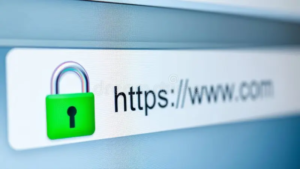
That little padlock in your browser’s address bar means more than you might think. It signals that a website uses SSL encryption to protect data traveling between visitors and the server. In 2025, SSL isn’t optional; it’s a fundamental requirement for any business website.
At Proton Tech Lab, we ensure every website we build includes proper SSL implementation. Let’s explore what SSL certificates do, why they matter, and how to ensure your website is properly secured.
What Is an SSL Certificate?
SSL stands for Secure Sockets Layer, a security protocol that encrypts data transmitted between a user’s browser and a website’s server. According to Cloudflare, SSL creates a secure tunnel that prevents hackers from intercepting sensitive information like passwords, credit card numbers, and personal data.
When a website has SSL, its URL begins with “https” instead of “http,” and browsers display a padlock icon. This visual indicator tells visitors their connection is secure.
Protecting Your Visitors
Every time visitors enter information on your website, that data travels across the internet. Without encryption, this data is vulnerable to interception. Hackers can capture login credentials, payment information, contact form submissions, and personal details.
SSL encryption scrambles this data so that even if intercepted, it’s unreadable without the decryption key. You’re protecting your customers every time they interact with your site.
Browser Warnings Scare Visitors Away
Modern browsers actively warn users about unsecured websites. Chrome, Firefox, Safari, and Edge all display prominent warnings when visitors try to access sites without SSL. These warnings tell visitors the site is “Not Secure” or even block access entirely.
Most visitors won’t proceed past these warnings. They’ll click away to a competitor who does have SSL. An unsecured site loses traffic before visitors even see your content.
SSL Impacts Search Rankings
Google has used HTTPS as a ranking signal since 2014, and its importance has only grown. Secure sites receive ranking preference over unsecured equivalents. In competitive search results, SSL can be the difference between first page and second page.
Beyond direct ranking benefits, SSL affects user behavior metrics that influence SEO. Higher bounce rates from security warnings and lower engagement on unsecured sites indirectly hurt rankings too.
Building Customer Trust
The padlock icon has become a trust symbol that customers recognize. Seeing it reassures visitors that your business takes security seriously. This trust matters especially for e-commerce, where customers must feel safe entering payment information.
Even if you don’t sell online, SSL signals professionalism. A business that doesn’t secure its website may seem careless or behind the times. First impressions matter, and security is part of that impression.
Types of SSL Certificates
SSL certificates come in different validation levels.
Domain Validation (DV): Basic certificates that verify domain ownership. Fast to obtain and sufficient for most small business websites.
Organization Validation (OV): Certificates that verify the organization behind the website. Provides more assurance but takes longer to obtain.
Extended Validation (EV): The highest level of validation with thorough verification. Traditionally showed the company name in the browser bar, though this display has changed in most browsers.

Getting an SSL Certificate
Many web hosts now include free SSL certificates through services like Let’s Encrypt. These free certificates provide the same encryption as paid options and are perfectly adequate for most small businesses.
Paid certificates from providers like DigiCert or Comodo offer additional features, warranties, and support. For most small business websites, free certificates work perfectly well.
Implementing SSL Correctly
Installing an SSL certificate is just the first step. Your entire site must load over HTTPS. Mixed content warnings occur when secure pages load unsecured elements like images or scripts. All internal links should use HTTPS. Redirects should send HTTP traffic to HTTPS automatically.
Improper implementation can create security warnings despite having a certificate. Testing and verification ensure your SSL works correctly throughout your site.
Maintaining Your Certificate
SSL certificates expire and must be renewed. Most certificates last one to two years. Let your certificate expire, and browsers will display security warnings again. Set reminders or use auto-renewal to prevent lapses.
Secure Your Website Today
SSL certificates are no longer optional for any business website. They protect your visitors, improve search rankings, and build the trust necessary for online success. If your site isn’t secure yet, fixing this should be a top priority.
Need help securing your website with SSL? At Proton Tech Lab, we handle SSL implementation and ensure your site is properly secured. Contact us today to discuss your website security. Let’s protect your visitors and your business!