
Creating Contact Forms That Actually Get Responses
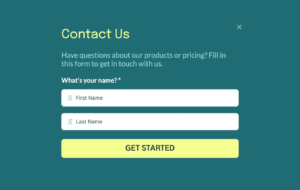
Your contact form is where potential customers take action. But too many forms create friction that drives visitors away. Long forms, confusing fields, and poor design turn eager leads into lost opportunities. The difference between a form that converts and one that doesn’t often comes down to simple design choices.
At Proton Tech Lab, we design contact forms that encourage visitors to reach out. Let’s explore best practices for creating forms that actually get responses.
Every Field Costs You Conversions
Each field you add reduces the likelihood someone completes your form. According to HubSpot, reducing form fields from four to three can increase conversions by up to 50%. Every additional field gives visitors another reason to abandon the form.
Ask yourself: do you truly need every field? Will you actually use the information collected? If a field isn’t essential for following up effectively, remove it. You can gather additional details later in the conversation.
Essential Fields Only
For most contact forms, you need name, email, and a message field. That’s it. Phone numbers, company names, budgets, and detailed questionnaires can wait. The goal is starting a conversation, not conducting an interview.
If you must collect additional information, mark non-essential fields as optional. Seeing “optional” reduces the perceived effort required to complete the form.
Write Clear, Helpful Labels
Field labels should tell visitors exactly what to enter. “Name” is clearer than “Full Legal Name.” “Email” beats “Electronic Mail Address.” Simple, familiar language reduces cognitive load.
Place labels above fields rather than inside them as placeholder text. Placeholder text disappears when users start typing, forcing them to remember what the field requested. Persistent labels prevent confusion.
Make Fields Easy to Complete
Use appropriate field types for different inputs. Email fields should use email input type so mobile devices show the right keyboard. Phone fields should trigger numeric keyboards. Text areas for messages should be large enough to see what’s being typed.
Enable autocomplete so browsers can fill in common information like names and email addresses. This small convenience significantly speeds form completion.
Design for Mobile First
Many visitors will complete your form on phones. Touch targets need adequate size for finger taps. Fields should stack vertically for easy scrolling. Keyboards shouldn’t cover the field being typed in.
Test your form on actual mobile devices, not just browser simulations. What feels easy on desktop can become frustrating on a small screen.
Create Compelling Submit Buttons
“Submit” is boring and vague. Buttons with specific, action-oriented text perform better. “Send Message,” “Get Your Quote,” or “Start the Conversation” tell visitors what happens next and feel more engaging.
Make buttons visually prominent. Use contrasting colors that stand out from the page. Size buttons large enough to be obvious and easy to tap on mobile.

Handle Errors Gracefully
When validation fails, tell users exactly what went wrong and how to fix it. “Please enter a valid email address” helps more than just highlighting the field red. Show errors immediately next to the relevant field, not in a list at the top of the form.
Don’t clear the entire form when errors occur. Losing everything they’ve typed frustrates users and often causes them to abandon rather than start over.
Confirm Successful Submission
After someone submits, confirm their message was received. A thank you page or message reassures visitors that their submission worked. Include information about what happens next and when they can expect a response.
Consider sending an automatic email confirmation. This provides a record for the visitor and another touchpoint for your brand.
Build Trust Around the Form
Visitors hesitate to share information with businesses they don’t trust. Place trust signals near your form: privacy assurances, testimonials, or security badges. A brief note about how you’ll use their information can reduce anxiety.
Never require more information than necessary for the stated purpose. Asking for phone numbers on a newsletter signup feels invasive and reduces trust.
Test and Improve
Monitor form analytics. How many people start but don’t complete? Where do they abandon? Test different versions to see what improves completion rates. Even small changes can yield significant results.
Start More Conversations
Well-designed contact forms remove barriers between interested visitors and your business. By keeping forms simple, clear, and user-friendly, you’ll turn more visitors into leads and more leads into customers.
Need help improving your contact forms? At Proton Tech Lab, we design forms that encourage visitors to reach out. Contact us today to discuss your website’s conversion optimization. Let’s turn more visitors into conversations!