
Reducing Cart Abandonment with Better Checkout Page Design
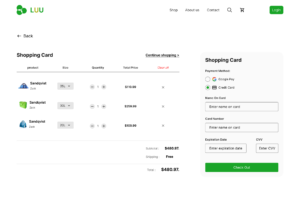
Customers fill their carts, start checkout, then vanish. It happens constantly, and it’s costing you sales. The average cart abandonment rate hovers around 70%, meaning most shoppers who intend to buy never complete their purchase. Often, the checkout page itself is the problem.
At Proton Tech Lab, we design checkout experiences that convert browsers into buyers. Let’s explore simple improvements that help more customers complete their purchases.
Why Customers Abandon Carts
According to Baymard Institute, top reasons for cart abandonment include unexpected costs, required account creation, complicated checkout processes, concerns about payment security, and website errors. Most of these problems are fixable through better design.
Understanding why customers leave helps you address the right issues. Analyze your checkout funnel to identify where exactly customers drop off, then focus improvements there.
Offer Guest Checkout
Forcing account creation kills conversions. Many customers want to buy quickly without creating yet another password to remember. Offer guest checkout prominently, making account creation optional.
You can still encourage accounts by highlighting benefits: order tracking, faster future checkouts, exclusive offers. But let customers choose rather than forcing them.
Show All Costs Upfront
Surprise costs at checkout frustrate customers. Shipping fees, taxes, and handling charges that appear only at the final step feel like bait and switch. Customers abandon rather than accept unexpected expenses.
Display shipping costs early, ideally on product pages or in the cart before checkout begins. Shipping calculators that estimate costs by zip code set accurate expectations. No surprises means fewer abandoned carts.
Simplify Form Fields
Every field you add increases friction. Ask only for information you genuinely need. Do you really need a phone number? A company name? A fax number? Remove anything non-essential.
Use smart defaults and autofill whenever possible. Auto-detect country from IP address. Suggest city and state from zip code. Enable browser autofill for common fields. Make completing forms as effortless as possible.
Use a Single-Page Checkout
Multi-page checkouts feel endless. Each page load is an opportunity for customers to reconsider. Single-page checkouts that show everything at once feel faster and simpler, even if they contain the same fields.
If you must use multiple pages, show a progress indicator so customers know how many steps remain. Uncertainty about checkout length increases abandonment.
Display Security Signals
Customers worry about payment security, especially on unfamiliar sites. Display security badges, SSL indicators, and trusted payment logos near credit card fields. These visual signals reassure customers their data is safe.
Payment options like PayPal offer buyer protection that some customers prefer. Offering multiple payment methods lets customers choose what feels most secure to them.

Optimize for Mobile
Mobile shopping continues growing, but mobile checkout abandonment rates exceed desktop. Small screens, awkward typing, and poorly designed mobile forms frustrate shoppers.
Design mobile checkout specifically for thumbs and small screens. Large tap targets, appropriate keyboard types for each field, and minimal scrolling improve mobile completion rates. Digital wallet options like Apple Pay and Google Pay streamline mobile checkout significantly.
Handle Errors Gracefully
Confusing error messages drive customers away. When validation fails, explain exactly what’s wrong and how to fix it. Highlight the specific field with the error. Don’t clear the entire form when something goes wrong.
Validate in real-time when possible so customers know immediately if something’s wrong, rather than discovering errors after submitting.
Show Order Summary
Keep a visible order summary throughout checkout showing what customers are buying, quantities, and total cost. This prevents the need to navigate back to verify cart contents and reduces uncertainty about the purchase.
Implement Cart Recovery
Even with perfect checkout design, some abandonment will occur. Cart recovery emails remind customers about items they left behind. These emails often recover a meaningful percentage of otherwise lost sales.
Turn Browsers into Buyers
A better checkout experience directly impacts your bottom line. By removing friction, building trust, and simplifying the process, you help more customers complete the purchases they intended to make.
Ready to reduce cart abandonment? At Proton Tech Lab, we design checkout experiences that convert. Contact us today to discuss your ecommerce optimization. Let’s turn more of your shoppers into customers!