
Simple Navigation Tips That Keep Visitors on Your Website Longer
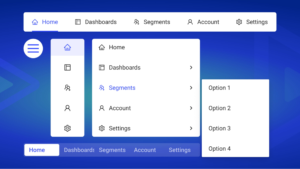
Visitors who can’t find what they’re looking for leave. It’s that simple. Your website might have amazing content and products, but if navigation confuses people, they’ll click away to a competitor who makes things easier. Good navigation is invisible; bad navigation is the only thing people notice.
At Proton Tech Lab, we design intuitive navigation systems that guide visitors effortlessly. Let’s explore how to create navigation that keeps people on your site longer and helps them find exactly what they need.
Why Navigation Matters So Much
Navigation is how visitors explore your website. According to HubSpot, 76% of consumers say the most important factor in website design is ease of finding what they want. Poor navigation increases bounce rates, reduces conversions, and frustrates potential customers.
Every click required to find information increases the chance someone gives up. Simple, clear navigation removes friction between visitors and their goals, whether that’s making a purchase, finding information, or contacting you.
Keep Your Main Menu Simple
Less is more in navigation design. Limit your main menu to seven items or fewer. Human short-term memory handles about seven items comfortably; more than that overwhelms visitors and makes decisions harder.
Each menu item should represent a major category that visitors actually seek. Remove items that serve internal organizational needs rather than user needs. If something rarely gets clicked, it probably doesn’t belong in primary navigation.
Use Clear, Descriptive Labels
Navigation labels should tell visitors exactly what they’ll find. Avoid clever or creative labels that sacrifice clarity. “Services” beats “What We Do.” “Contact” beats “Get In Touch.” “Shop” beats “Explore Our Collection.”
Use language your customers use, not internal jargon. If you sell software, your customers might search for “Pricing” while you internally call it “Plans and Packages.” Match user expectations in your labels.
Follow Established Patterns
Users expect certain navigation conventions. The logo goes in the top left and links to the homepage. Main navigation sits horizontally across the top or vertically on the left. Contact information appears in the header or footer.
Breaking conventions forces visitors to relearn how to use your site. While creativity matters in design, navigation benefits from predictability. Save innovation for areas where it enhances rather than confuses.
Make Navigation Visible
Navigation should be immediately visible without scrolling on every page. Sticky headers that remain visible as users scroll ensure navigation is always accessible. Never hide primary navigation behind icons on desktop; hamburger menus work on mobile but frustrate desktop users.
Ensure adequate contrast between navigation elements and background. Links should be obviously clickable. Current page indicators help users understand where they are within your site structure.
Organize Dropdown Menus Thoughtfully
If you need dropdowns, keep them organized and scannable. Group related items together. Use visual hierarchy to distinguish categories from individual pages. Limit dropdown depth; menus within menus within menus frustrate users.
Consider mega menus for sites with extensive content. Mega menus display all options at once in organized columns, making complex structures easier to scan than traditional nested dropdowns.

Include Search Functionality
Some visitors prefer searching to browsing. A visible search bar gives them an immediate path to what they want. Place search prominently, typically in the header area where users expect it.
Ensure your search actually works well. Poor search results frustrate users more than no search at all. Consider search suggestions, filters, and error tolerance for misspellings.
Don’t Forget Footer Navigation
Footer navigation serves users who scroll to the bottom seeking more options. Include links to important pages that don’t fit in primary navigation: privacy policy, terms of service, sitemap, and secondary content areas.
Footers also provide redundant access to main sections for users who’ve scrolled past the header. Contact information, social links, and newsletter signups commonly appear in footers.
Test with Real Users
What seems logical to you might confuse visitors. Test your navigation with people unfamiliar with your site. Watch where they struggle. Ask them to find specific information and observe their paths. Analytics reveal which navigation items get clicks and which get ignored.
Mobile Navigation Needs Special Attention
Mobile navigation requires different approaches. Touch targets need adequate size. Hamburger menus consolidate options into manageable space. Consider bottom navigation bars for frequently accessed sections, keeping key actions within thumb reach.
Guide Visitors to Success
Great navigation removes obstacles between visitors and their goals. By keeping menus simple, labels clear, and patterns familiar, you create seamless experiences that keep people exploring your site.
Need help improving your website navigation? At Proton Tech Lab, we design intuitive navigation systems that guide visitors effortlessly. Contact us today to discuss your website’s user experience. Let’s make finding things on your site a breeze!