
Why Dark Mode Is Essential for Modern Website Design
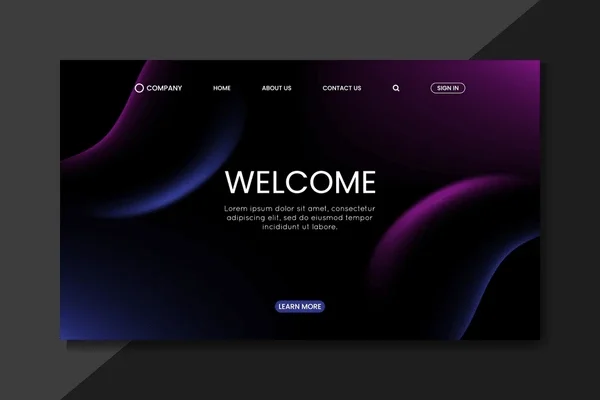
Open any popular app today, whether it’s Twitter, Instagram, or YouTube, and you’ll find a dark mode option. What started as a niche feature for developers has become a mainstream expectation. Users now actively seek dark mode, and websites that offer it gain a significant advantage in user satisfaction.
At Proton Tech Lab, we design websites with dark mode capabilities that enhance user experience. Let’s explore why dark mode has become essential for modern websites and how it can benefit your business.
What Is Dark Mode?
Dark mode is a display setting that uses light-colored text, icons, and interface elements on dark backgrounds. Instead of the traditional black text on white backgrounds, dark mode reverses this scheme. The result is a visually distinct experience that many users find more comfortable, especially in low-light environments.
According to Android Authority, over 80% of users prefer dark mode when given the option. This overwhelming preference makes dark mode not just a nice feature but a user expectation that businesses should consider meeting.
Reducing Eye Strain and Fatigue
The most cited benefit of dark mode is reduced eye strain. Bright white screens in dark environments force eyes to work harder, adjusting constantly between the bright display and dim surroundings. This causes fatigue, headaches, and discomfort during extended screen time.
Dark mode reduces the contrast between screen and environment in low-light settings, creating a more comfortable viewing experience. For users browsing at night or in dimly lit offices, dark mode can significantly reduce visual discomfort.

Saving Battery Life
For devices with OLED or AMOLED screens, dark mode offers real power savings. These screens illuminate individual pixels, meaning black pixels are essentially turned off. Darker interfaces require less power to display, extending battery life noticeably.
As mobile browsing continues to dominate web traffic, offering a battery-friendly experience matters. Users appreciate websites that don’t drain their devices, and dark mode contributes to this efficiency on compatible screens.
Improving Accessibility
Dark mode can improve accessibility for users with certain visual sensitivities. Some people with photophobia, migraines, or visual impairments find dark interfaces easier to use. Providing dark mode demonstrates commitment to inclusive design.
However, dark mode isn’t universally better for accessibility. Some users, particularly those with certain types of astigmatism, may find light text on dark backgrounds harder to read. The key is offering choice rather than forcing one mode on everyone.
Creating Visual Impact
Dark backgrounds make colors pop in ways that light backgrounds cannot. Images, videos, and colorful design elements stand out dramatically against dark surroundings. For portfolios, galleries, and visually-driven websites, dark mode can create stunning presentations.
Many premium and luxury brands use dark interfaces to convey sophistication and elegance. Dark mode naturally creates a sense of exclusivity and modern aesthetics that certain brand identities benefit from.
Implementing Dark Mode Effectively
Good dark mode implementation requires more than inverting colors. Simply flipping black and white creates harsh, uncomfortable interfaces. Effective dark mode uses dark grays rather than pure black, carefully considers contrast ratios, and adjusts all design elements thoughtfully.
Key Implementation Tips: Use dark gray backgrounds instead of pure black for softer appearance. Ensure text contrast meets accessibility standards. Adjust image brightness and shadows for dark contexts. Test thoroughly across devices and lighting conditions.
Letting Users Choose
The best approach gives users control. Implement a toggle that lets visitors switch between light and dark modes based on their preference. Many sites also respect system preferences, automatically displaying dark mode when users have enabled it at the operating system level.
Remember user preferences across sessions so visitors don’t need to reset their choice each visit. This small touch significantly improves user experience.
Considering Your Brand
Not every brand suits dark mode equally. Consider whether dark interfaces align with your brand identity. Some brands, particularly those emphasizing brightness, cleanliness, or airiness, may find dark mode conflicts with their core aesthetic.
That said, offering dark mode as an option doesn’t mean abandoning your brand’s primary appearance. It shows user consideration while maintaining brand integrity in your default presentation.
Give Your Users What They Want
Dark mode has evolved from optional feature to user expectation. Offering it demonstrates attention to user comfort, modern design sensibility, and commitment to accessibility. In competitive digital landscapes, these details matter.
Ready to add dark mode to your website? At Proton Tech Lab, we design and implement dark mode experiences that look great and work seamlessly. Contact us today to discuss modernizing your website with dark mode. Let’s create an experience your users will love, day or night!