
Monitoring Website Performance for Continuous Improvement
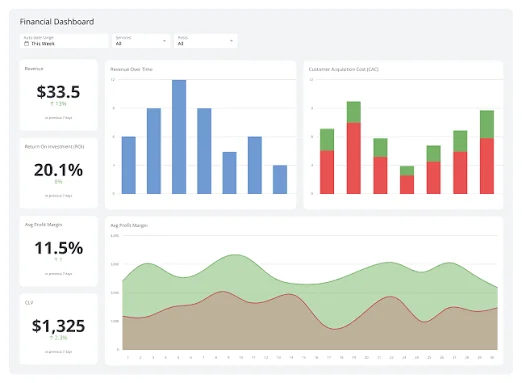
Problems you don’t see still hurt your business. Slow pages, broken features, and server errors drive visitors away—often without complaint. Performance monitoring catches issues before they become crises, enabling continuous improvement based on real data.
At Proton Tech Lab, we implement monitoring that keeps sites healthy. Let’s explore how to track what matters and respond before users notice problems.
Core Web Vitals
According to Google, Core Web Vitals measure real user experience. Largest Contentful Paint tracks loading speed. First Input Delay measures interactivity. Cumulative Layout Shift quantifies visual stability. These metrics affect both user experience and search rankings.
Monitor these continuously, not just during occasional audits. Performance fluctuates with traffic, content changes, and third-party scripts.
Uptime Monitoring
Is your site actually accessible? Uptime monitors check regularly from multiple locations, alerting you immediately when your site goes down. Minutes of downtime cost traffic, sales, and trust. Know about outages before customers tell you.
Monitor not just the homepage but critical paths: checkout, login, key landing pages. A functioning homepage doesn’t mean everything works.
Error Tracking
JavaScript errors, server errors, and broken functionality often go unreported. Error tracking tools capture these automatically, showing what broke, how often, and for whom. Without this visibility, bugs persist indefinitely while users quietly leave.
Prioritize errors by impact. An error affecting checkout matters more than one on a rarely visited page.
Real User Monitoring
Synthetic tests measure performance under ideal conditions. Real User Monitoring (RUM) captures actual visitor experiences—diverse devices, varying connections, different locations. Real data reveals problems synthetic tests miss.
Segment RUM data by device type, geography, and browser. Mobile users on slow connections often experience your site very differently than desktop users on fast connections.
Set Meaningful Alerts
Alert fatigue kills monitoring value. Too many alerts get ignored. Set thresholds that indicate real problems: error rate spikes, response time degradation beyond acceptable limits, uptime failures. Reserve alerts for actionable issues.
Escalation paths ensure critical alerts reach someone who can respond. A 3 AM alert that nobody sees helps nothing.

Track Trends Over Time
Single measurements mislead. Trends reveal whether performance is improving, stable, or degrading. Gradual slowdowns are easy to miss without historical comparison. Plot metrics over weeks and months to spot drift.
Monitor Third-Party Impact
Analytics scripts, chat widgets, advertising tags, and social plugins affect performance. Third-party services go down independently of your site. Monitor their impact and have fallback strategies for when external dependencies fail.
Create Performance Budgets
Define acceptable performance limits and monitor against them. Page weight limits, load time targets, and script size caps prevent gradual bloat. When metrics approach budget limits, investigate before problems emerge.
Keep Improving
Monitoring without action is just observation. Use data to prioritize improvements, verify fixes, and demonstrate progress. Continuous monitoring enables continuous improvement—catching problems early and validating solutions.
Need help with performance monitoring? At Proton Tech Lab, we implement monitoring that keeps sites fast and reliable. Contact us today to discuss your site. Let’s catch problems before your users do!