
Why Regular Website Backups Could Save Your Business
Imagine arriving at work to find your website completely gone. Years of content, customer data, product information—vanished. It happens more often than you think. Hacks, server failures, human errors, and software conflicts can destroy websites instantly. Without backups, recovery is impossible.
At Proton Tech Lab, we implement backup strategies that protect business websites. Let’s explore why backups matter and how to do them right.
What Can Go Wrong
According to Sucuri, thousands of websites get hacked every day. Malware can corrupt files, ransomware can lock you out, and hackers can delete everything. But security breaches are just one threat.
Server hardware fails. Software updates go wrong. Employees accidentally delete critical files. Plugins conflict and crash databases. Hosting companies make mistakes. Any of these can take your website down, and without backups, you’re rebuilding from scratch.
The Cost of No Backup
Rebuilding a website from memory takes weeks or months. You lose SEO rankings built over years. Customer data disappears. Transaction records vanish. Trust erodes when customers can’t access your site or their accounts.
The financial impact compounds: lost sales during downtime, rebuilding costs, recovery of business relationships, potential legal liability for lost data. Prevention costs a fraction of recovery.

What to Back Up
Files: All website files including themes, plugins, images, documents, and custom code.
Database: Content, user accounts, orders, settings—most dynamic content lives in databases.
Configuration: Server settings, DNS records, SSL certificates, email configurations.
Complete backups include everything needed to restore your site to a new server if necessary. Partial backups leave gaps that complicate recovery.
How Often to Back Up
Backup frequency depends on how often your site changes. E-commerce sites processing daily orders need daily backups—hourly for high-volume stores. Static brochure sites might survive with weekly backups.
Ask yourself: how much data can you afford to lose? If your site changed yesterday and you restore from last week’s backup, everything from that week is gone. Back up as often as you’re willing to redo work.
Store Backups Off-Site
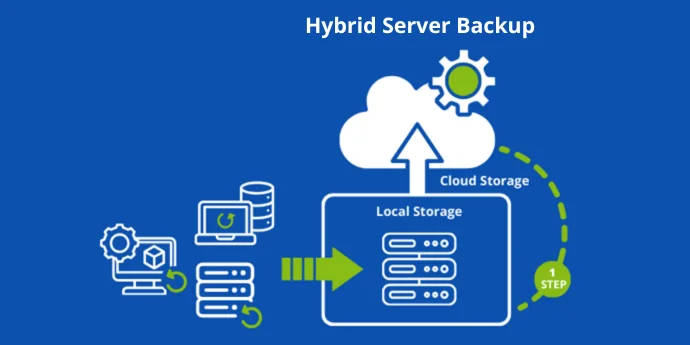
Backups stored on the same server as your website aren’t safe. If the server fails or gets hacked, backups go down too. Store backups in separate locations: different servers, cloud storage, or even local downloads.
The 3-2-1 rule provides good guidance: three copies of data, on two different types of storage, with one copy off-site. Redundancy protects against various failure modes.
Automate the Process
Manual backups get forgotten. Automate backups so they happen reliably without human intervention. Most hosting platforms and backup plugins offer scheduling. Set it and verify it’s working, then let automation handle the rest.
Test Your Backups
Backups that don’t restore are worthless. Periodically test restoration to verify backups actually work. Discovering corrupted backups during an emergency is devastating. Test before you need them.
Retain Multiple Versions
Keep backup history, not just the latest version. If malware infected your site last week and you only have yesterday’s backup, you’re restoring infected files. Multiple versions let you reach back to clean copies.
Don’t Rely on Hosting Alone
Many hosts provide backups, but their policies vary. Some keep backups briefly; some charge for restoration; some exclude databases. Understand your host’s backup policy and supplement with your own system for complete protection.
Protect Your Investment
Your website represents significant investment in time, money, and content. Backups protect that investment against disasters you can’t predict. The small effort of implementing proper backups prevents catastrophic losses.
Need help with website backups? At Proton Tech Lab, we implement comprehensive backup strategies that protect your business. Contact us today to discuss your backup needs. Let’s make sure you’re protected!