
Designing Website Forms That Users Actually Complete
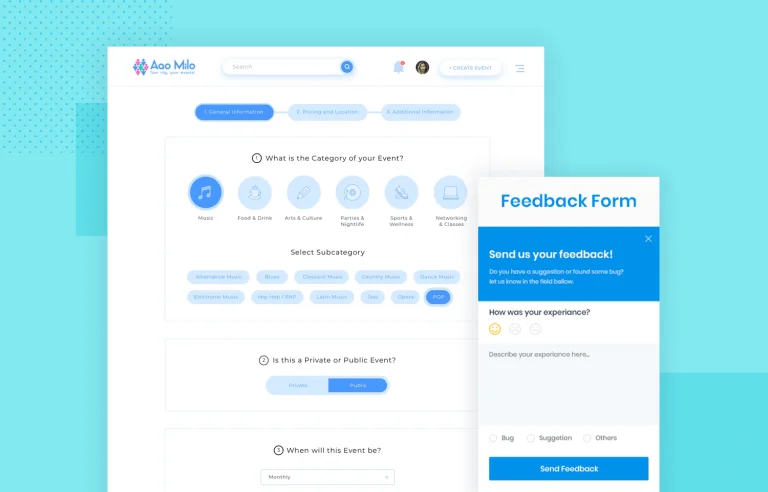
Forms are where visitors become leads, customers, or subscribers. But most website forms lose users before completion. Every unnecessary field, confusing label, or frustrating error drives potential conversions away. Smart form design respects users’ time and guides them smoothly to submission.
At Proton Tech Lab, we design forms that convert. Let’s explore how to create forms users actually complete.
Ask Only What You Need
According to Formstack, reducing form fields from 11 to 4 can increase conversions by 120%. Every field you add creates friction. Do you really need a phone number? A company name? Middle initial? If not, remove them.
Ask yourself what’s the minimum information needed to accomplish your goal. Collect additional details later once you’ve established a relationship.
Use Clear, Specific Labels
Labels should eliminate guessing. “Name” is ambiguous—do you want full name, first name only, or first and last separately? Be explicit: “First Name” and “Last Name” leave no doubt.
Place labels above fields rather than inside them as placeholder text. Placeholder labels disappear when users start typing, forcing them to remember what the field requested.
Group Related Fields
Organize fields into logical groups: personal information, address details, payment information. Visual grouping helps users understand what’s being asked and reduces cognitive load.
For longer forms, consider breaking into multiple steps with a progress indicator. Seeing “Step 2 of 3” feels more manageable than facing one endless form.
Size Fields Appropriately
Field size signals expected input length. A tiny field for phone numbers or a massive field for zip codes confuses users. Match field width to the expected answer length.
On mobile, all fields should be large enough for easy thumb tapping. Touch targets smaller than 44 pixels frustrate mobile users.
Use the Right Input Types
HTML5 input types improve mobile experience dramatically. Email fields bring up the @ keyboard. Phone fields show the number pad. Date fields offer date pickers. Using correct input types reduces errors and speeds completion.
Provide Helpful Error Messages
When validation fails, explain exactly what’s wrong and how to fix it. “Invalid email” is less helpful than “Please enter a valid email address (example: name@domain.com).” Specific guidance resolves problems faster.
Show errors inline next to the problem field, highlighted in red. Don’t make users hunt for what went wrong. Validate in real-time when possible so users catch mistakes immediately.

Make Required Fields Obvious
Clearly mark which fields are required and which are optional. The standard red asterisk works, but adding “(required)” or “(optional)” text removes any ambiguity.
Better yet, if most fields are required, only show optional fields when truly necessary. Fewer fields mean fewer decisions about what to skip.
Design Accessible Submit Buttons
Your submit button should stand out visually and use action-oriented text. “Submit” works, but “Get My Free Quote” or “Create My Account” tells users exactly what clicking accomplishes.
Make buttons large enough to click easily, with sufficient contrast against backgrounds. Disabled submit buttons while processing prevent frustrating double-submissions.
Test on Mobile Devices
Forms that work on desktop often fail on phones. Test actual completion on mobile devices—not just visual appearance but the full experience of entering information, navigating fields, and submitting.
Convert More Visitors
Every improvement to form usability translates directly to more completions. Respect users’ time with minimal fields, clear guidance, and helpful error handling. Well-designed forms don’t just look better—they perform better.
Need help with your website forms? At Proton Tech Lab, we design forms that convert visitors into leads. Contact us today to discuss your conversion goals. Let’s build forms that work!